
Purging and Destroying Sensitive Verification Data
Permanently destroy sensitive identity evidence while retaining the certificate of verification for your records.
Once your client has completed an identity verification request, you can purge the data to securely destroy the sensitive information associated with the request. This helps ensure compliance with data protection regulations and minimises the risk of unauthorised access to personal data.
How to Purge Verification Data
Navigate to Identity verification and click Open next to the completed verification request.
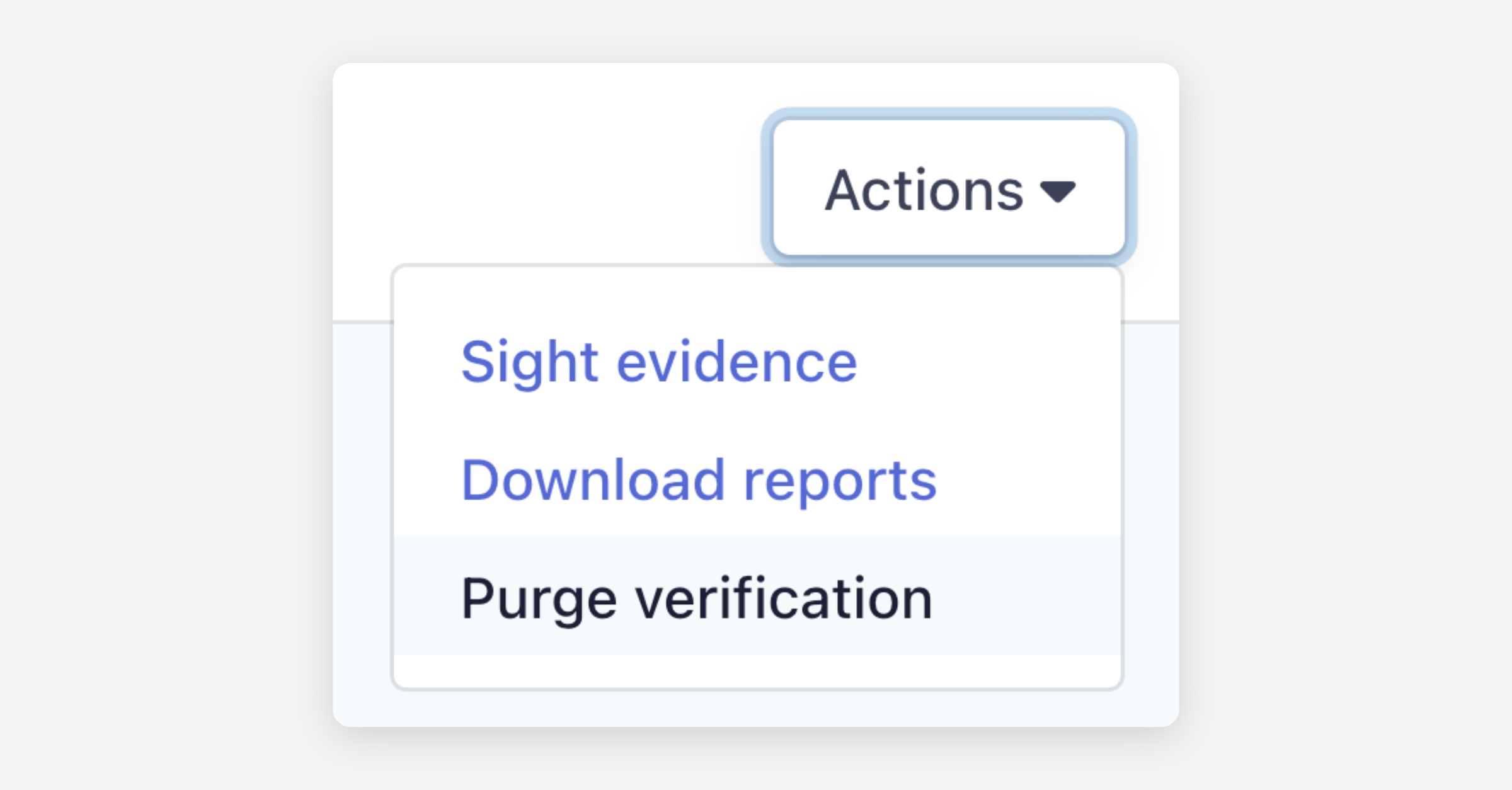
Click Actions in the upper right corner and select Purge verification.
A confirmation dialog will appear, warning that permanently deleted data cannot be recovered. Click Continue to proceed.
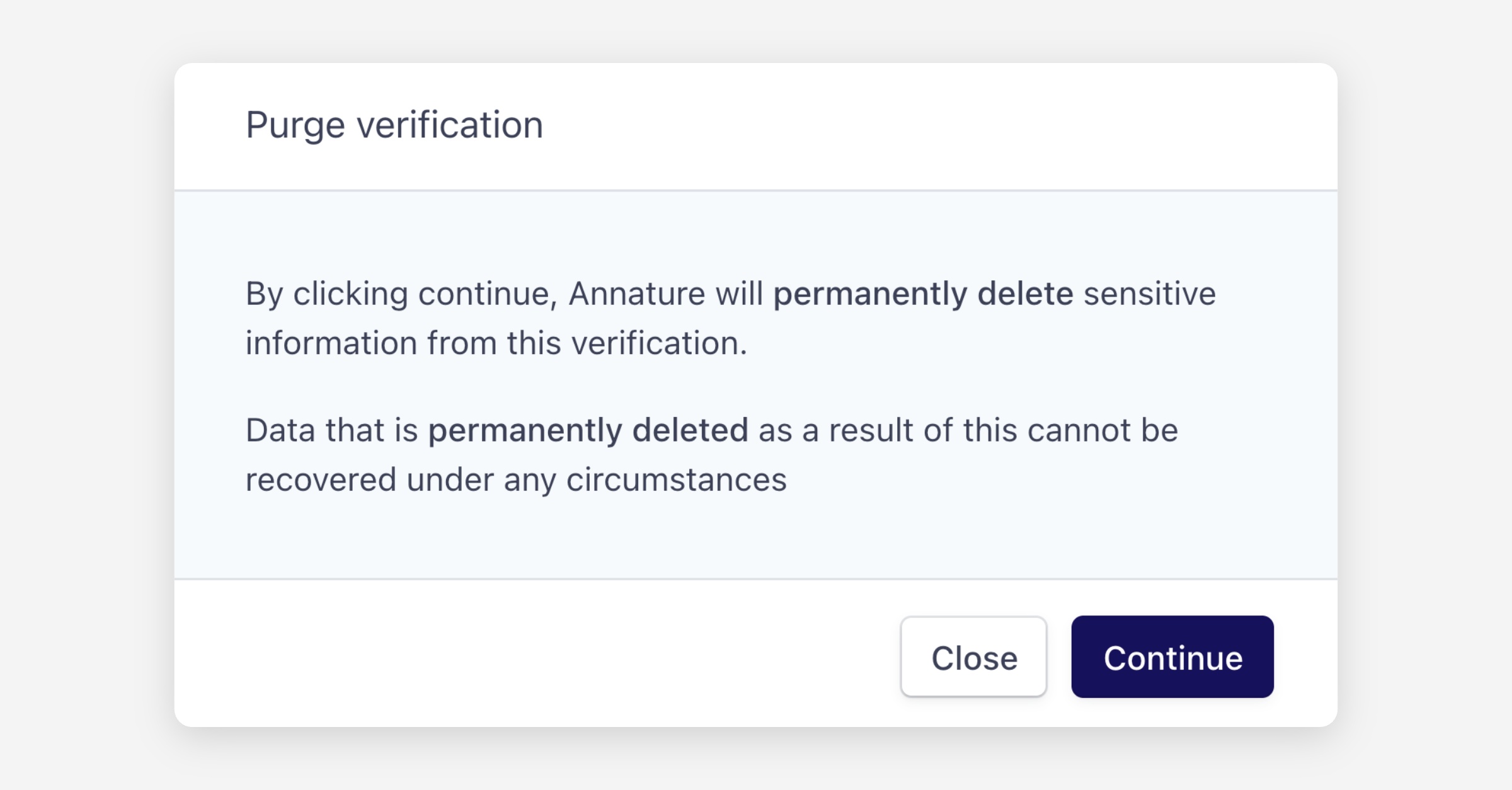
Once purged, all sensitive information associated with the verification request is permanently destroyed and cannot be recovered under any circumstances.
Was this helpful?