

Before you start
To enable UBO checks:
You must be the organisation owner. Other users will see the Enable product button greyed out.
Your organisation must have an active Pay as you go subscription.
Enable UBO checks
Go to Identity verification and open the Ultimate beneficial ownership (UBO) tab.
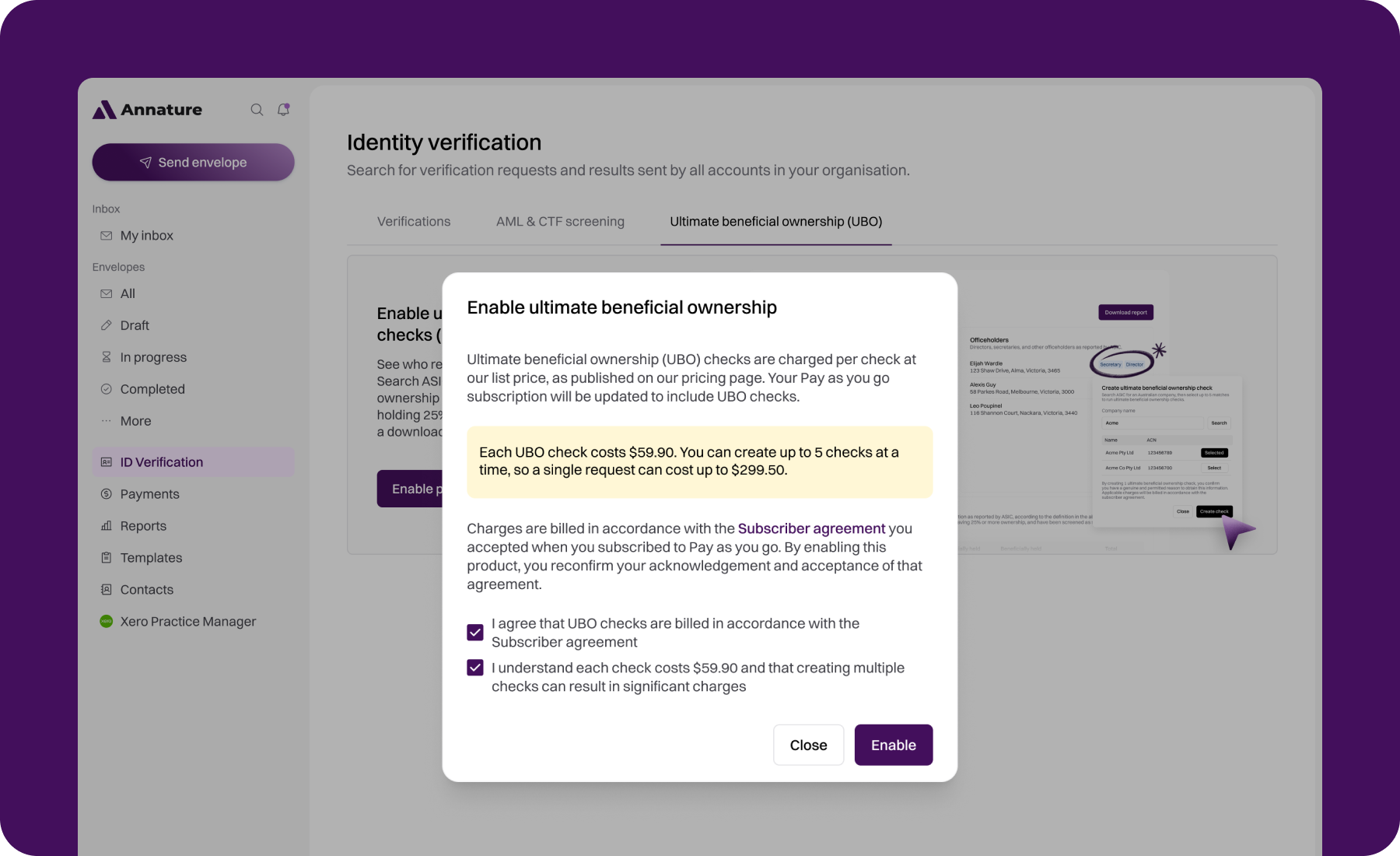
Click Enable product.
Read the pricing and billing details, then tick both boxes to confirm that UBO checks are billed in accordance with the Subscriber agreement, and that you understand each check costs $59.90 and creating multiple checks can result in significant charges.
Click Enable.
Pricing and billing
Each requested check costs $59.90, billed per check through your Pay as you go subscription. See our pricing page for current pricing.
You can request up to 5 companies at a time, so a single request can cost up to $299.50.
Associated checks aren't charged. When a check traces ownership through other companies, those companies are investigated and saved to your account at no extra cost.
Checks are charged when they're requested.
Charges appear on your monthly Pay as you go invoice alongside your other usage, and are billed in accordance with the Subscriber agreement.
Each check is a snapshot of ASIC records at the time it's run. Running a check again for the same company to get updated results is charged as a new check.