
Set Reminders on Your Schedule
Configure automatic reminders to nudge recipients to complete outstanding envelopes and verifications.
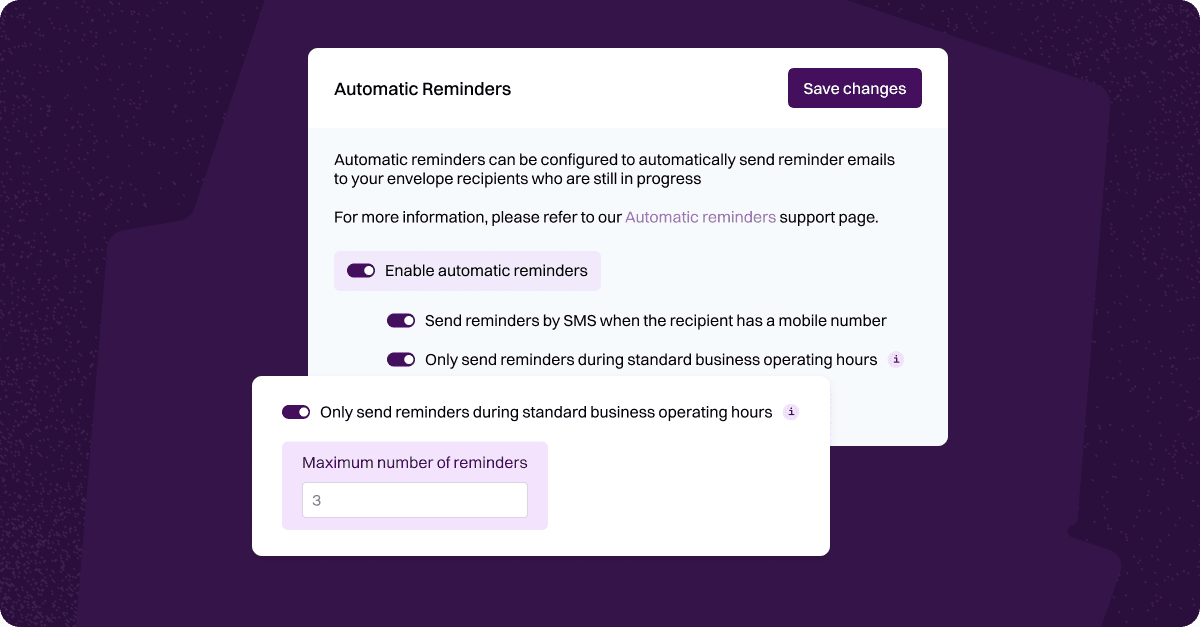
Administrators can easily set up automatic reminders for any in-progress envelopes or ID verification requests. This ensures your clients receive timely reminders to complete their documents, helping you keep workflows moving without manual follow-ups.
You can customise your reminder schedule by:
Choosing how many days to wait between reminders.
Setting the total number of reminders to be sent.
You can also schedule reminders to send only during business hours, and — if a mobile number is provided — send them via SMS for added convenience.
To set up your personalised reminder schedule, go to
Settings → Automatic Reminders.
For more details on how reminders work, visit our full guide here.
Was this helpful?