

The Annature API covers the core of the platform. Here's what you can do with it, and where to find the details.
Send envelopes
Create an envelope with your documents, recipients and fields, and send it for signing in a single request. You can:
Upload PDF or Word documents (Word files are converted to PDF automatically).
Add signers, viewers and carbon-copy recipients.
Set a signing order, so recipients sign one after another, all at once, or a mix of both.
Add security, such as a password or SMS two-factor authentication for each recipient.
Create the envelope as a draft, so you or your users can review and send it later.
Use templates
Create envelopes from your existing Annature templates. Match each template role to a recipient and the fields carry over automatically. You can also swap in a new document, as long as it has the same number of pages and similar page sizes.
Place fields automatically
There are two ways to place fields through the API:
Anchors — add a unique piece of text to your document (for example
{client_signature}) and Annature places the field wherever that text appears. This is ideal for documents generated by your own system, where the length can change.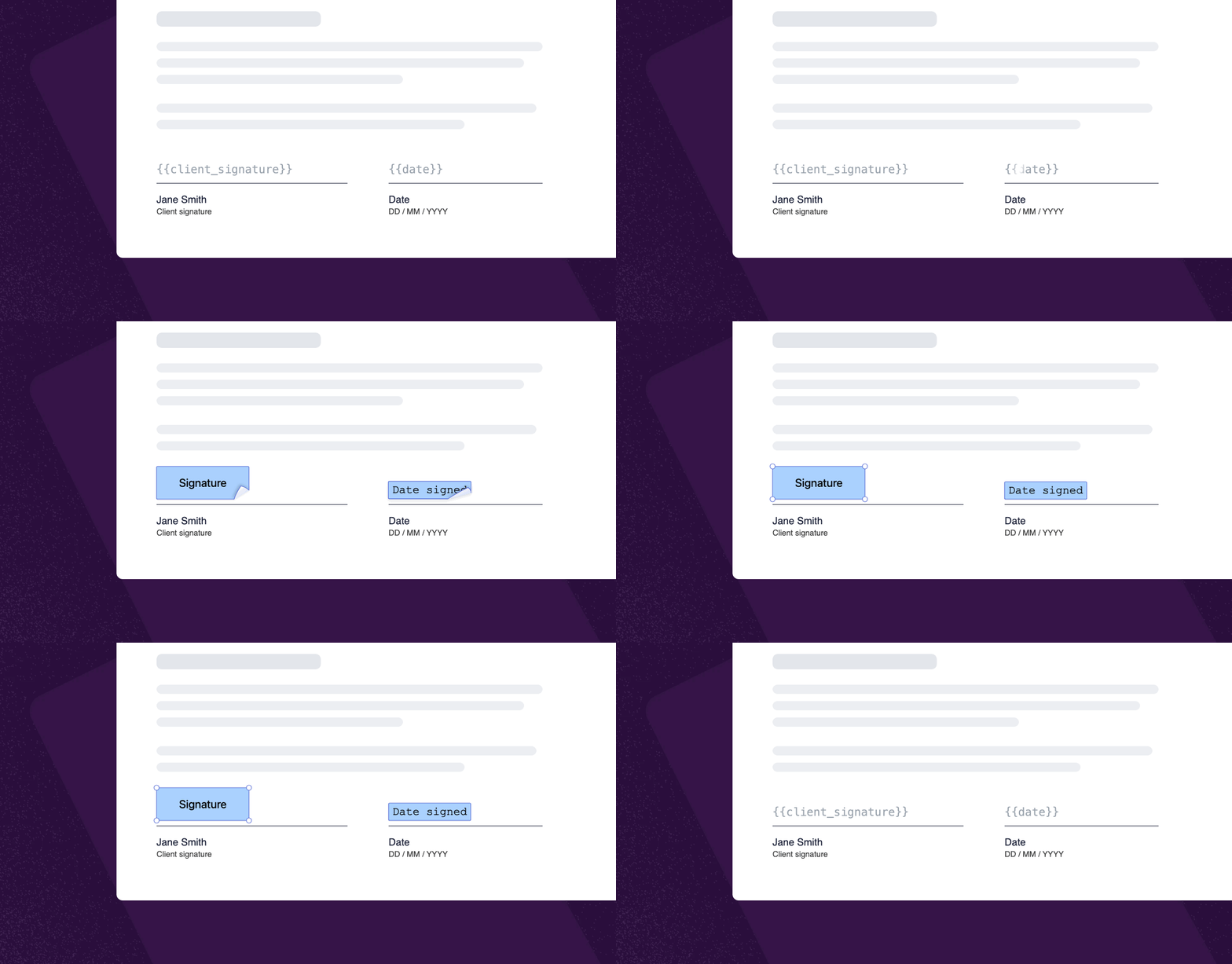
Coordinates — position each field at an exact spot on the page.
Track envelopes and download documents
Retrieve an envelope at any time to check its status and each recipient's progress. Once it's complete, download the signed documents through temporary, secure download links.
Get notified with webhooks
Instead of checking for changes, register a webhook endpoint and Annature will notify your system when an envelope is sent or completed, a recipient views, signs or declines, or a verification completes. See Webhooks.
Run identity verifications and AML & CTF screening
Create identity verification requests, track their progress, and retrieve the results and reports, so you can build verification into your own client onboarding.
Manage your organisation
Create and manage accounts and groups, so new team members and offices can be set up from your own system.
Attach your own data
Add metadata to envelopes, such as a deal, client or matter ID, to link each envelope back to the right record in your system. See Envelope metadata.