
How Does the Address Book Work?
Store contacts in one place for quick, error-free sending — populated automatically as you send envelopes.
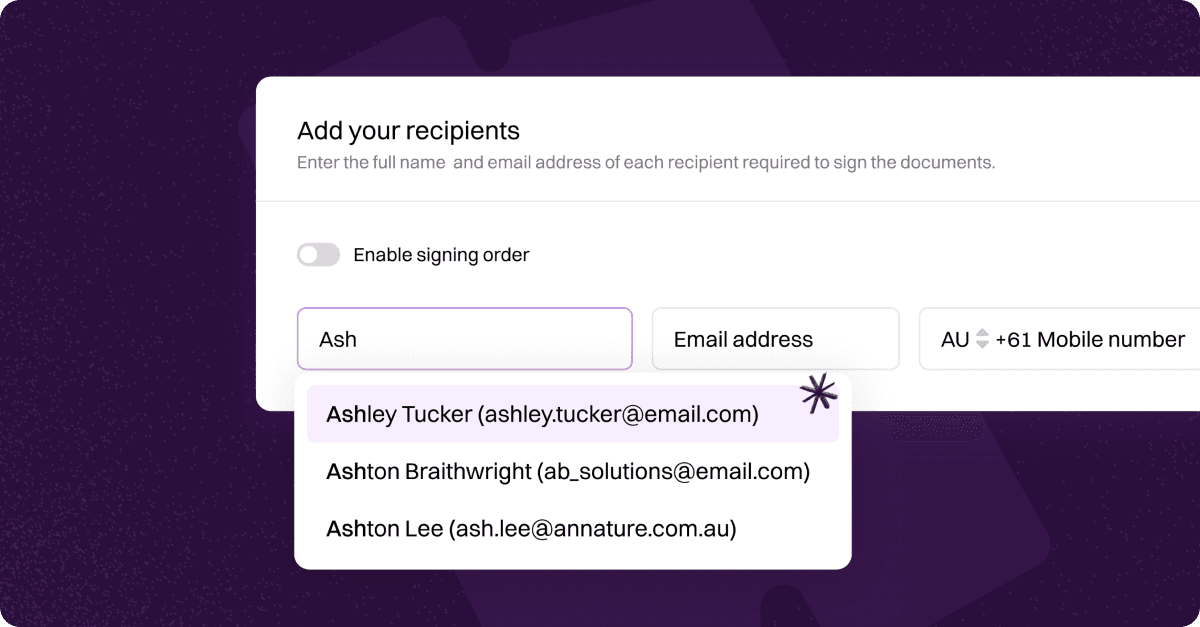
The Annature address book stores your contacts, including names, email addresses, and mobile numbers. This makes it easier to send envelopes without entering the same details each time.
Your address book grows naturally over time as you send envelopes and add new recipients. You can also manually add contacts at any time, or have them synced automatically through an integration.
When sending an envelope, start typing a recipient’s name. Matching contacts from your address book will appear so you can select them quickly.
Learn More
This collection walks you through how to create and manage address book contacts, as well as explore add-ons and integrations that support syncing your contacts automatically from external platforms — keeping your client data consistent, current, and ready to use across your workflow.
Was this helpful?