

Requested checks
A requested check is a company you searched for and selected when creating an ownership check.
Associated checks
When a requested company's shares are held by other Australian companies, Annature investigates those companies as part of the same check. Each company investigated is saved to your account as an associated check.
Associated checks are free. They're part of the requested check you paid for.
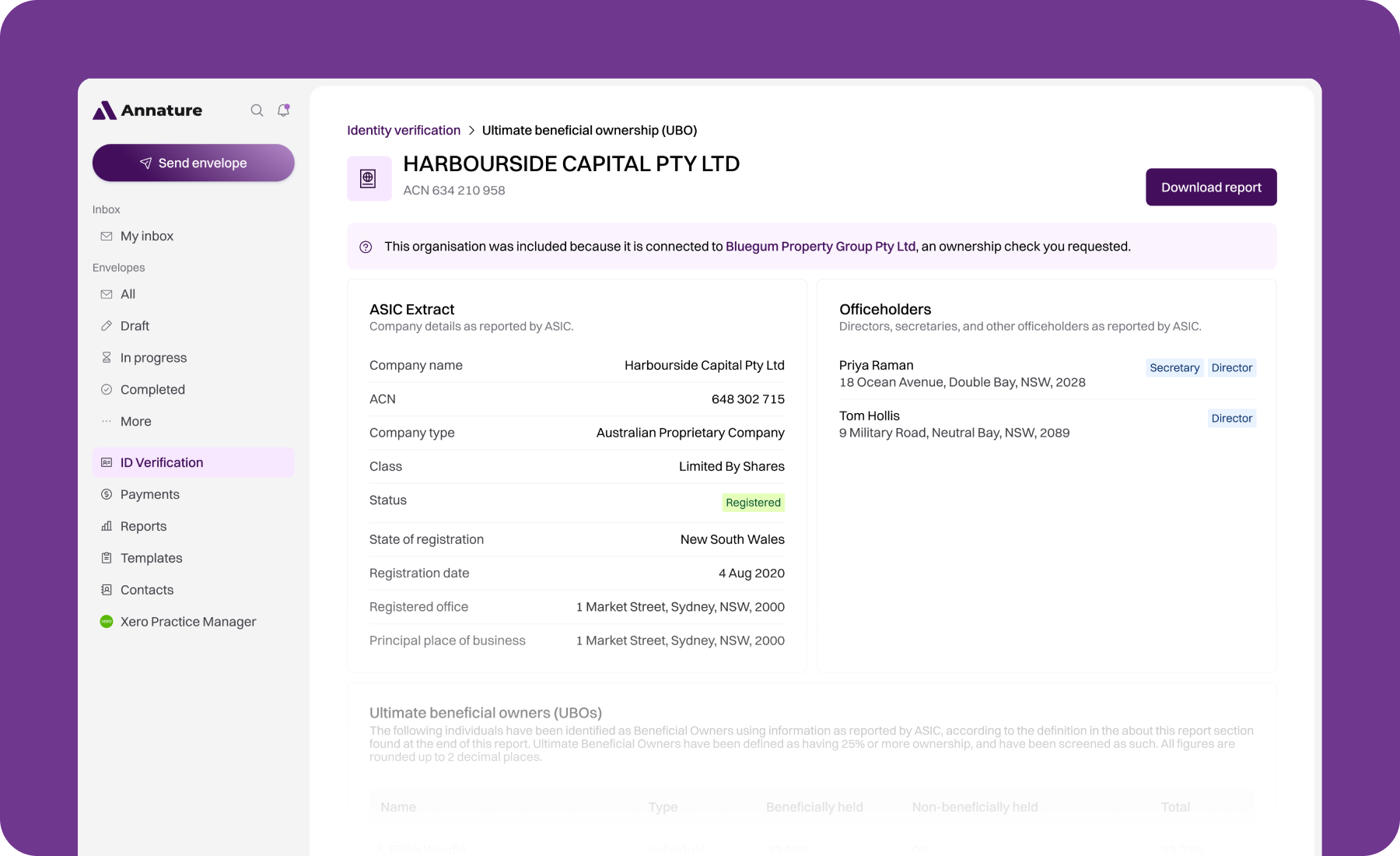
Each associated check shows a banner naming the requested check it came from. Click the company name in the banner to go back to it.
Associated checks are created automatically when the requested check completes. You don't need to do anything. For example, if you check Company A and its shares are held by Holding Company B, you'll see Company A as a requested check and Holding Company B as an associated check.
Viewing associated checks
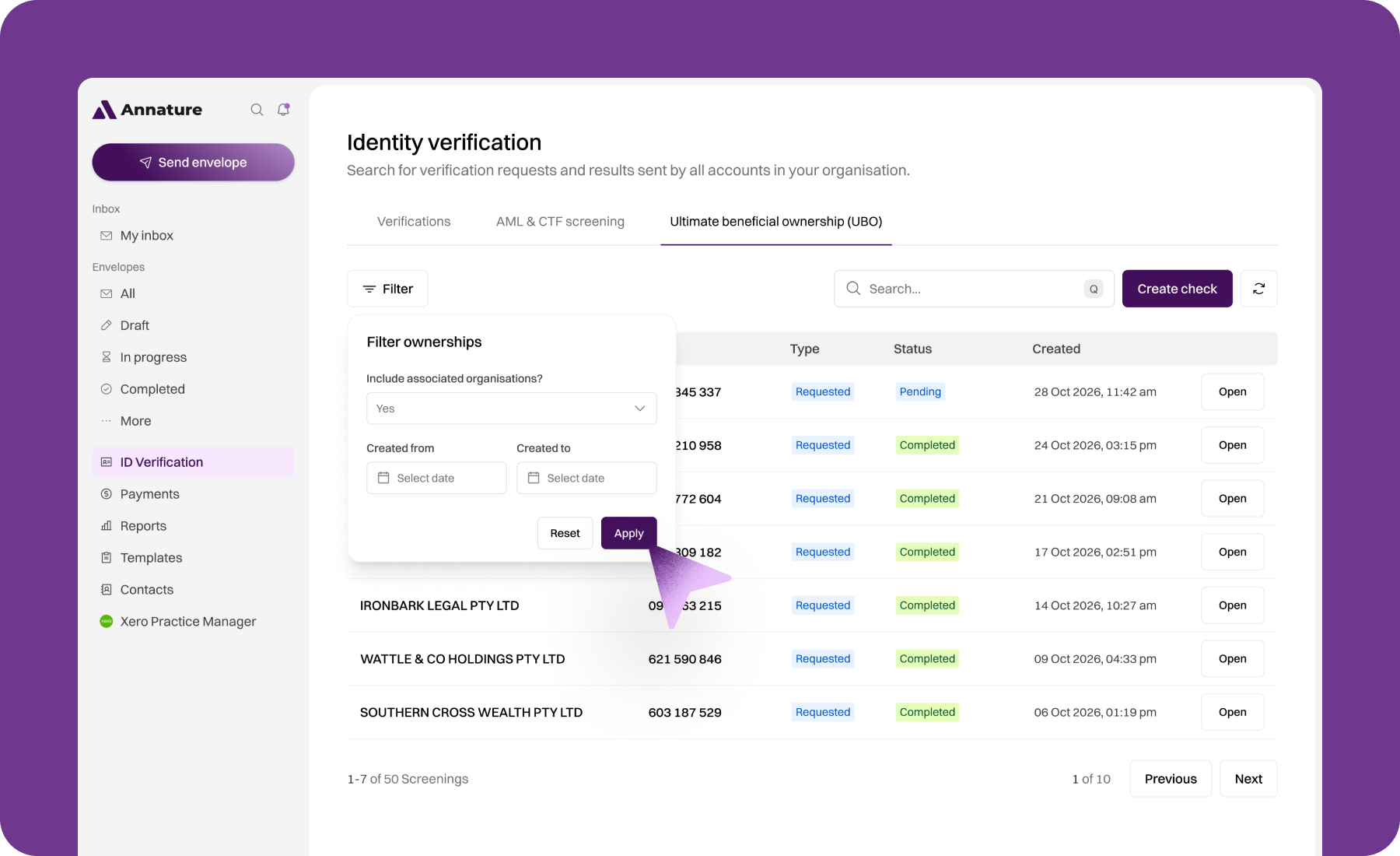
By default, your list of ownership checks only shows requested checks. To include associated checks:
Click Filter.
Set Include associated organisations? to Yes.
Click Apply.
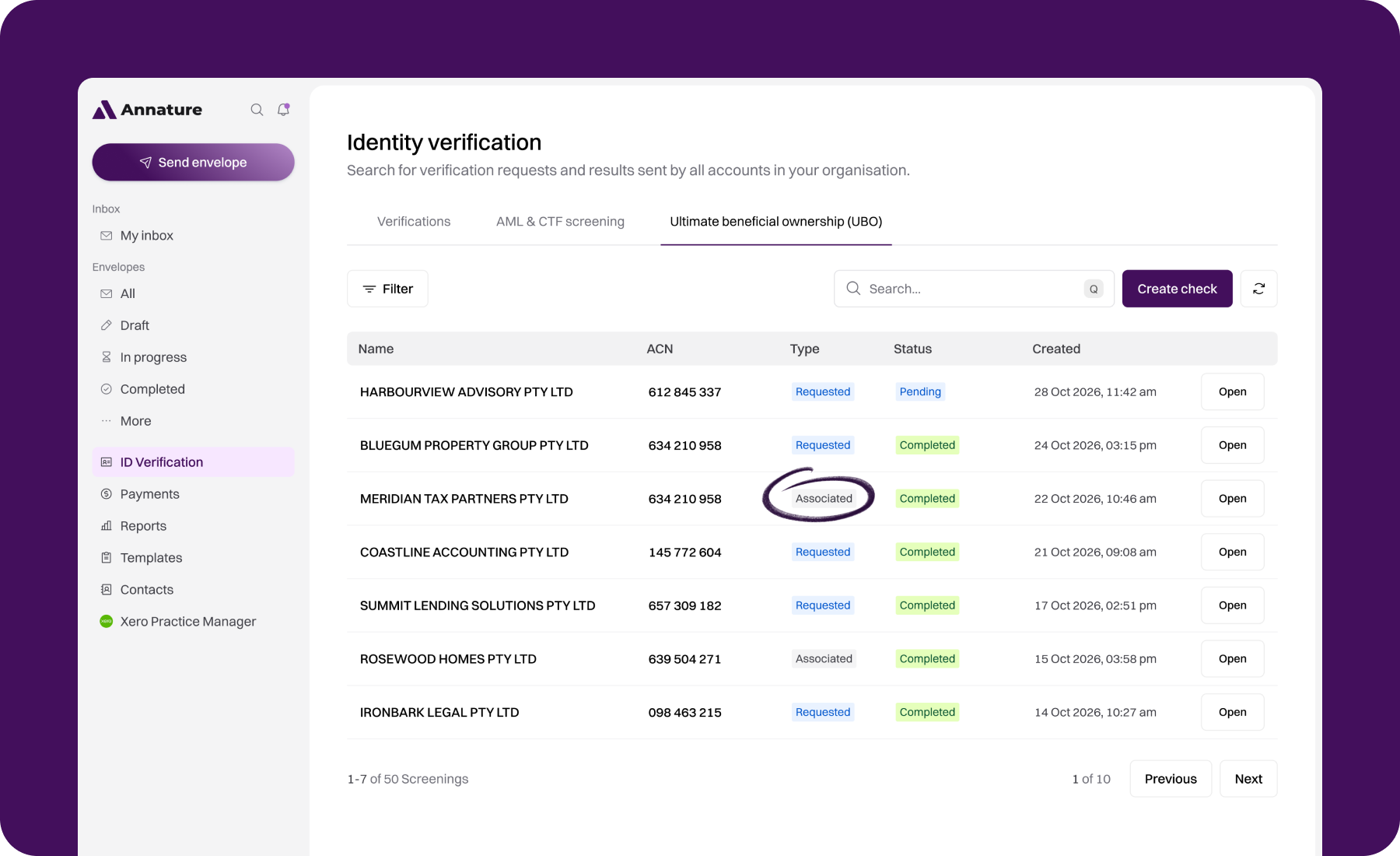
The Type column shows whether each check is Requested or Associated. Associated checks also show the name of the requested check they belong to. You can also open associated checks directly from a requested check's results. Linked company names in the owners and shareholders tables take you straight to them.
What's different about associated checks
Officeholders and share details may be limited. If they aren't available for an associated company, you'll see "Please refer to the ASIC extract of the parent company", with a link back to the requested check.
The report covers the whole structure. Clicking Download report on an associated check downloads the report for the requested check, which includes every company investigated.
Only Australian companies with an ACN are saved as associated checks. Foreign companies and other entities appear in the results but don't get their own page.