
Electronic Witnessing
Capture in-person witness signatures on the same device as the signer, without adding the witness as a recipient.
Annature's witness field is designed for in-person witnessing. Unlike other platforms that add a witness as a separate recipient — where there's nothing stopping them from signing remotely on the other side of the world — Annature's witness field ensures the witness is physically present with the signer at the time of signing.
When preparing your documents, you can add a witness field without adding the witness as a recipient. The witness is not sent any emails or notifications. Instead, they sign on the same device as the recipient, in person.
How it works
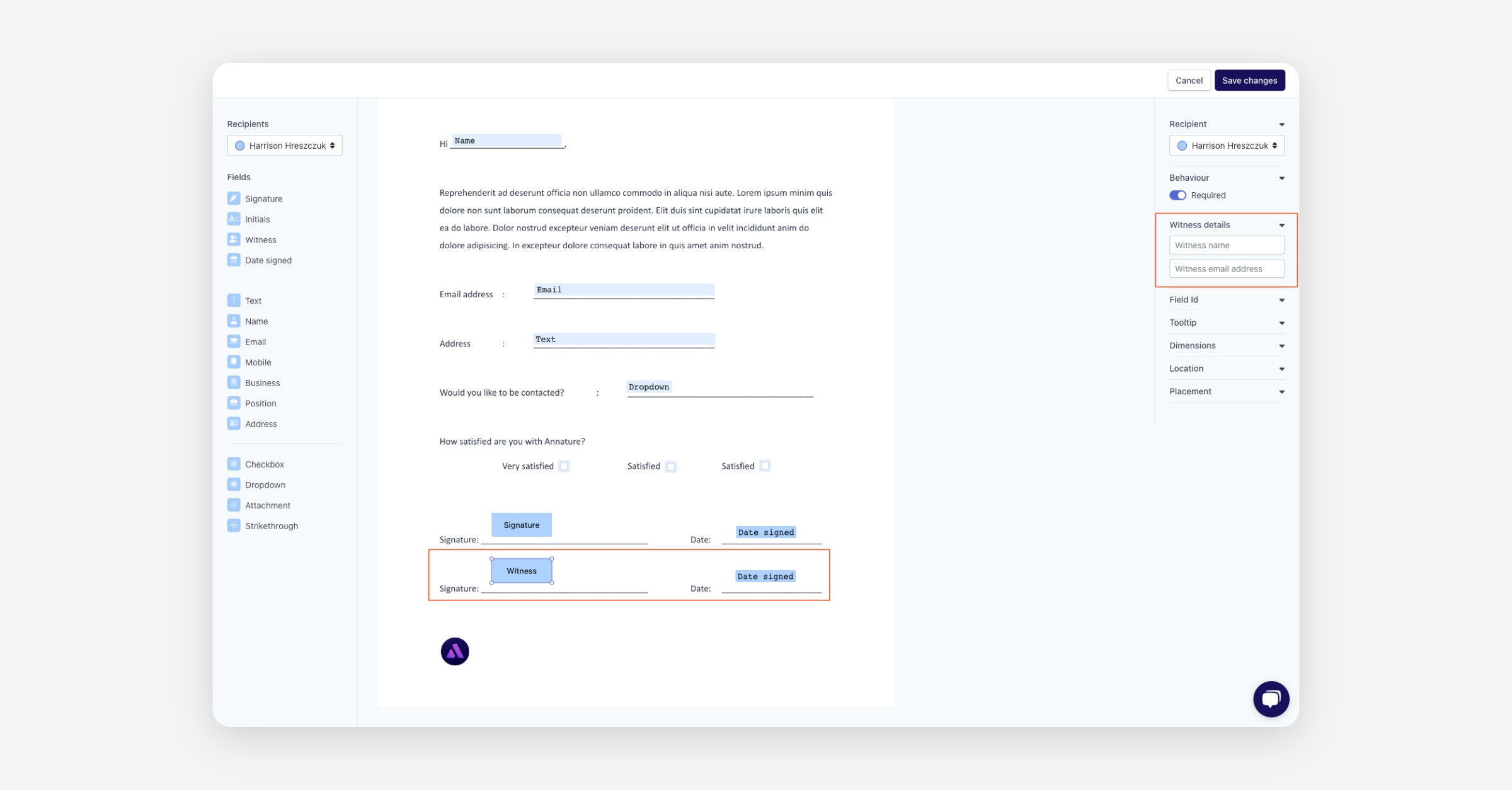
When preparing an envelope, drag a Witness field onto the document.
If you know who the witness will be ahead of time, you can pre-fill their contact details. Otherwise, the witness will be asked to enter these details at the time of signing
The recipient receives the envelope as usual. When they reach the witness field, they are prompted to hand their device to the witness.
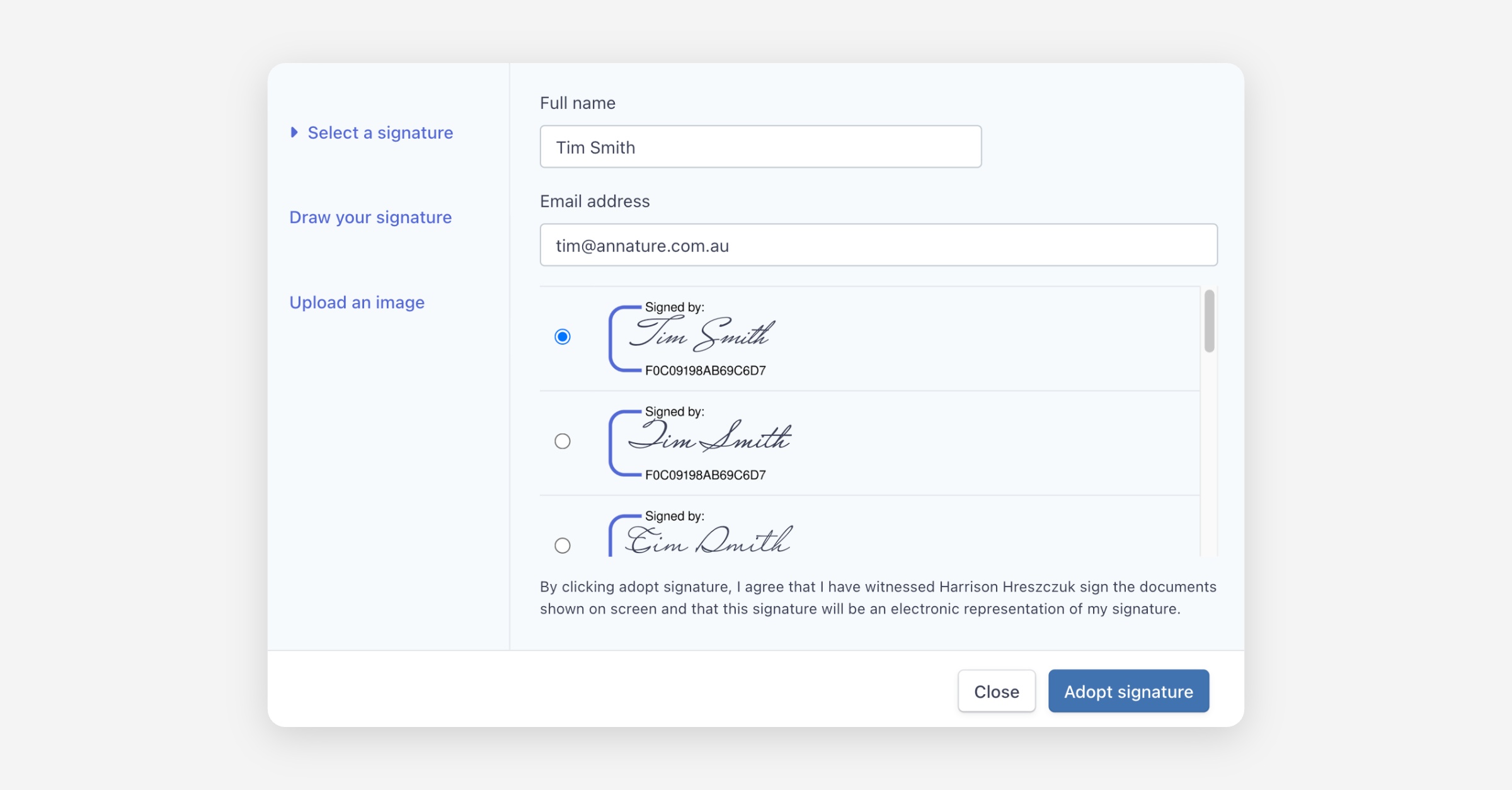
The witness enters their name and email address, then signs directly on the recipient's device.
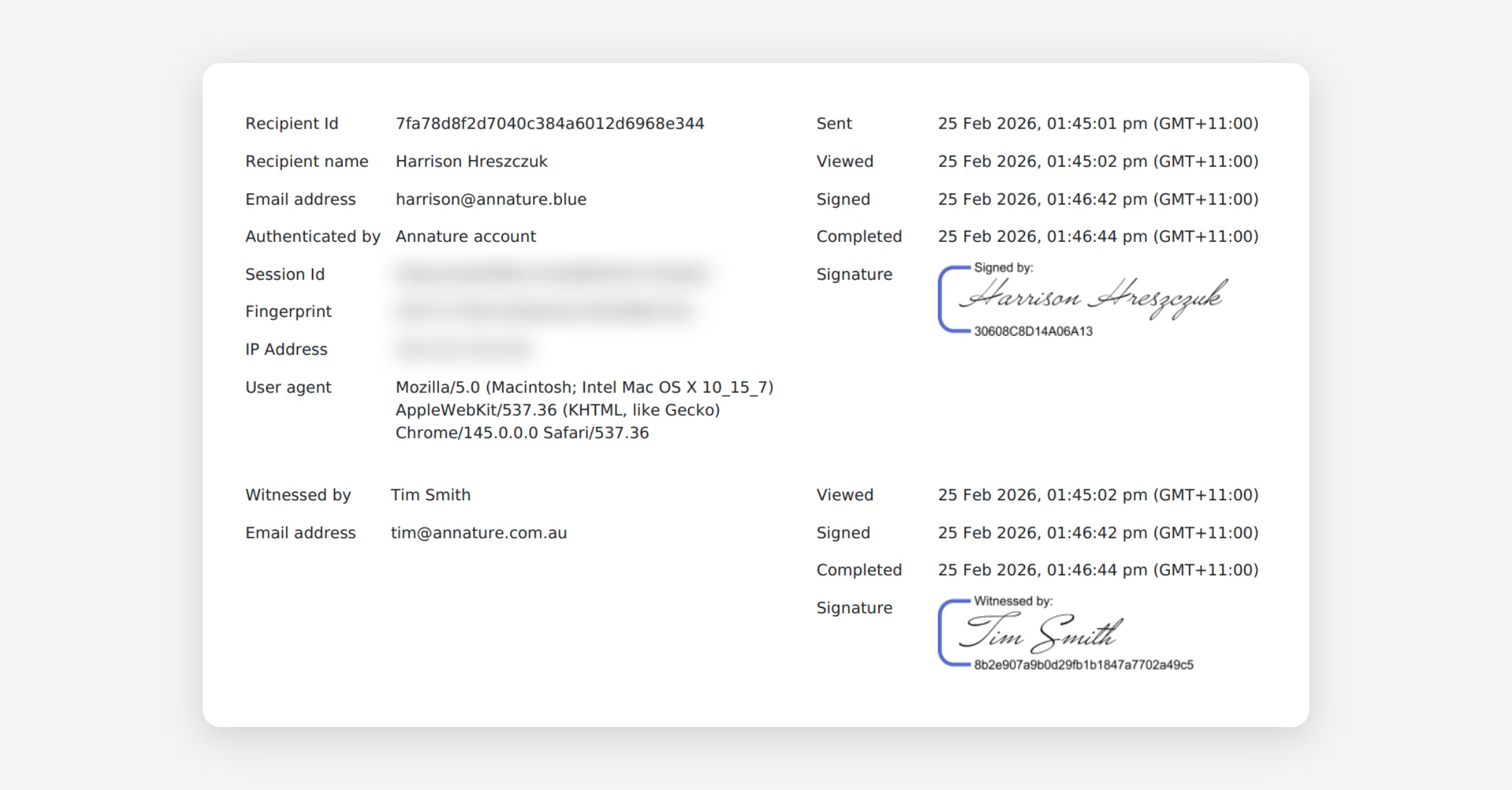
Once the envelope is completed, the witness's details are recorded in the certificate of completion and audit log.
No emails or communications are sent to the witness at any point.
Have more questions? Checkout our guide; How Can We Ensure the Witness Has Signed When Both Signer and Witness Use the Same Device?
Testing
We recommend sending yourself a test envelope that includes a witness field. This allows you to experience the process firsthand and see how it works from both the recipient and witness perspective.
Was this helpful?