
Redirect Endpoints
Send recipients to a custom URL after they complete or decline an envelope.
Redirect endpoints let you choose where recipients go after they complete or decline an envelope. Instead of seeing the default confirmation page, they are redirected to a URL you set, such as a page on your website with further instructions. You can set separate redirect URLs for completed and declined envelopes.
Setting Up Redirect Endpoints
When creating an envelope, click Options next to the recipient you want to redirect and select Redirect endpoints.
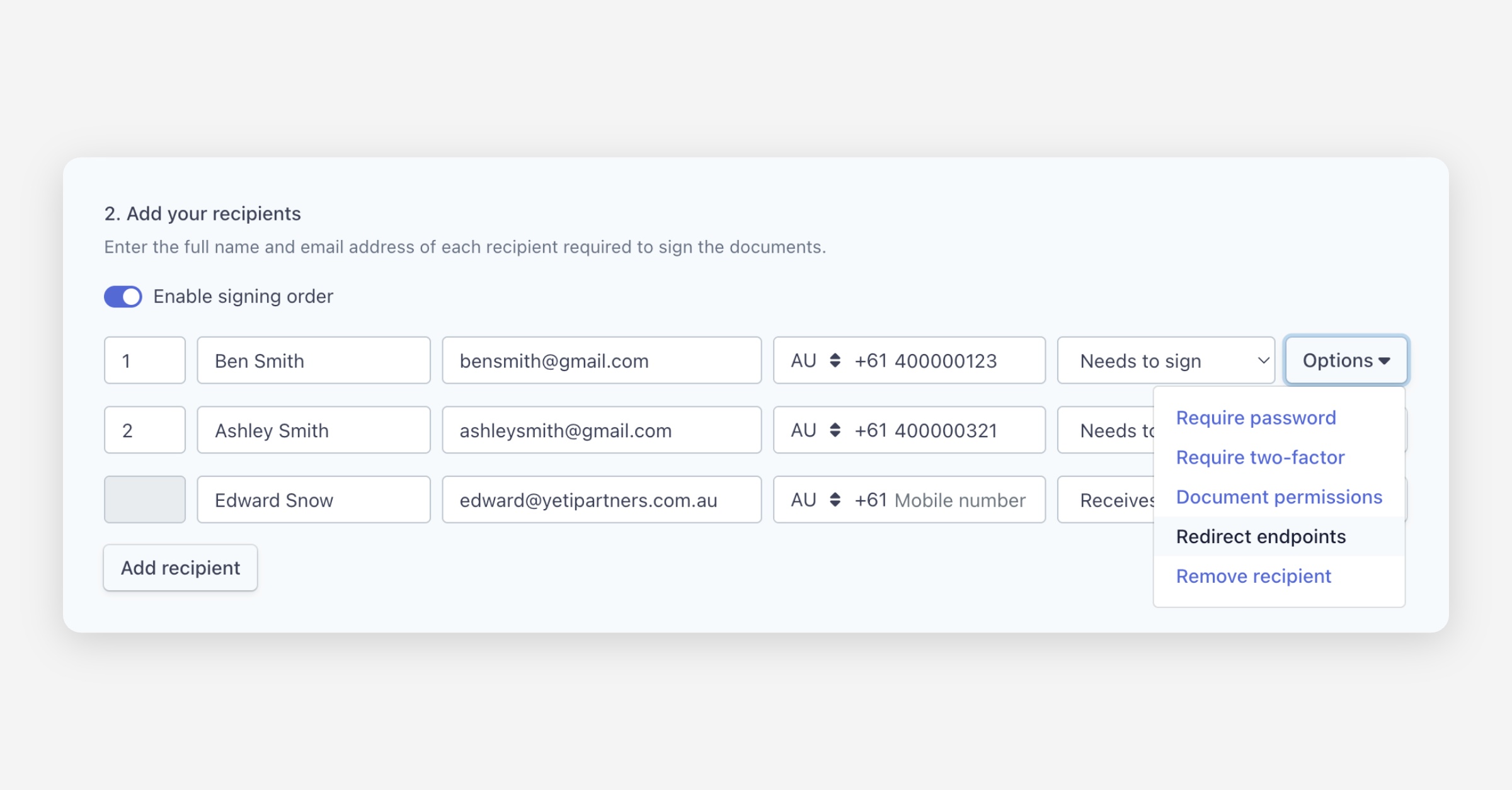
In the dialog box that appears, enter the destination URLs:
Completion redirect — The URL the recipient is redirected to after completing the envelope.
Declined redirect — The URL the recipient is redirected to after declining the envelope.
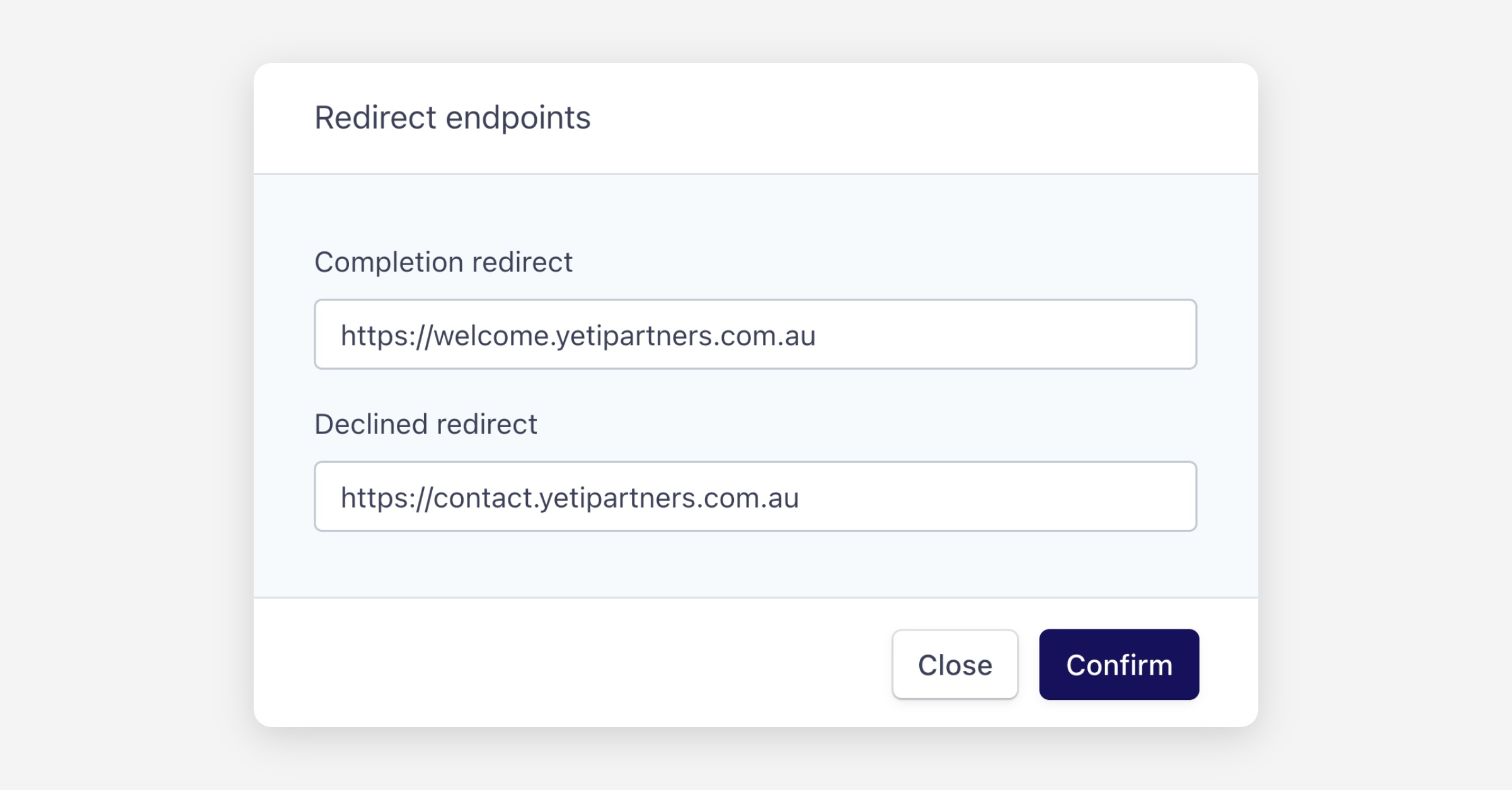
Click Confirm.
If your envelope has multiple recipients, you will need to configure redirect endpoints for each recipient individually by clicking Options on each one.
Was this helpful?