
CFR Part 11 Signature Field
Capture the reason for signing alongside the signature to meet CFR Part 11 regulatory requirements.
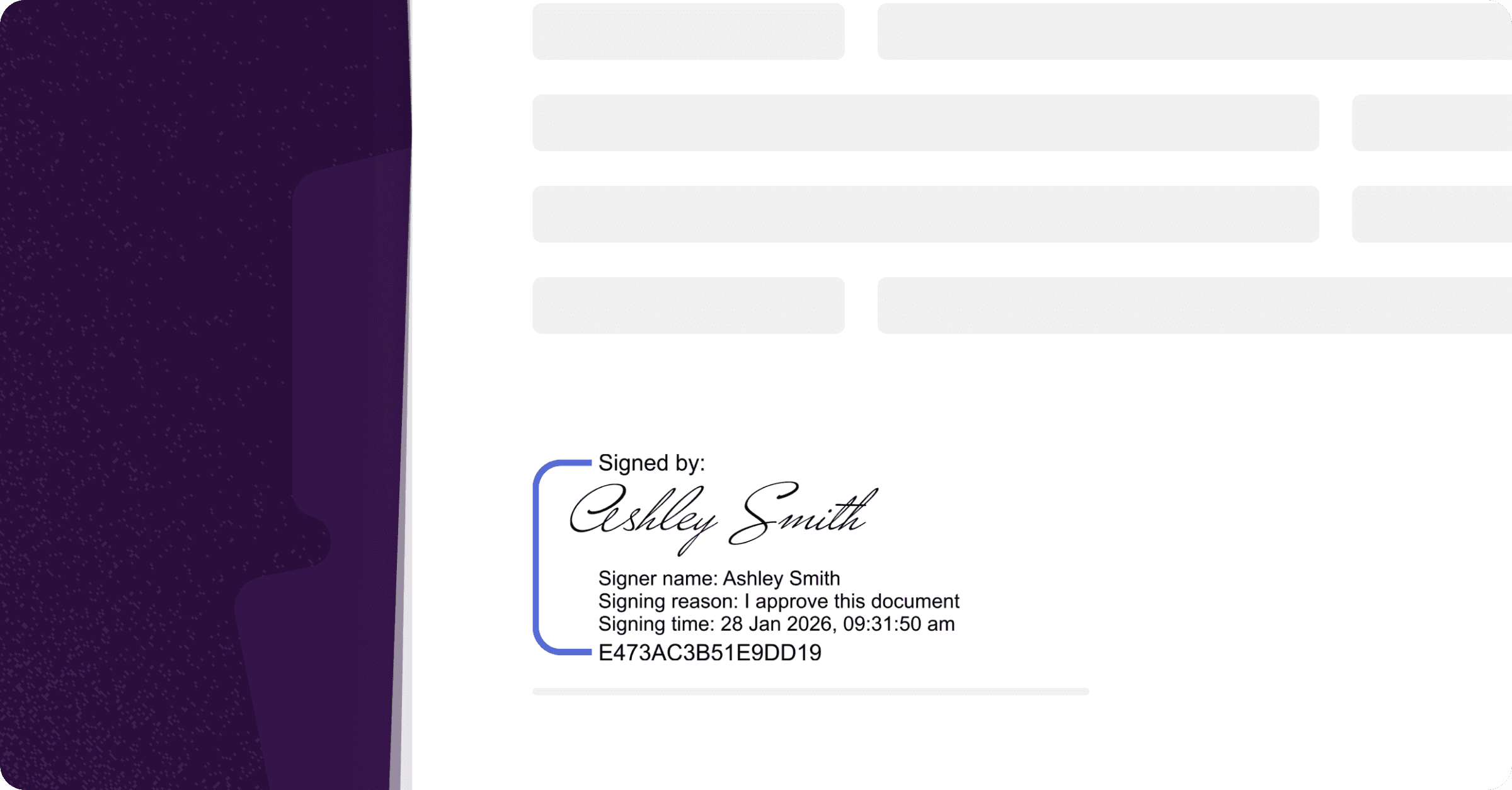
The CFR Part 11 Signature Field is designed for organisations that need to meet stricter regulatory requirements, including capturing why a document was signed — not just who signed it. This field is separate from Annature’s standard signature field and should be used specifically when CFR Part 11 compliance is required.
What is the CFR Part 11 Signature Field?
The CFR Part 11 Signature Field extends a standard electronic signature by recording additional, regulation-specific details at the point of signing.
When this field is used, Annature captures:
The signer’s full name
The reason for signing
The exact signing date and time
The applied electronic signature
All of this information is permanently stamped into the document to support audit and compliance requirements.
Who is this field designed for?
The CFR Part 11 Signature Field is primarily used by US-based organisations operating in regulated industries, particularly pharmaceuticals, life sciences, and drug development, where compliance with US FDA regulations is required.
These industries must clearly capture signer intent, identity, and timing as part of their electronic records. This field is purpose-built to support those requirements in a clear, auditable, and reliable way.
Using the CFR Part 11 Signature Field when preparing an envelope
When preparing an envelope, you’ll see the CFR Part 11 Signature Field available alongside Annature’s regular signature field.
It’s important to note:
This is a different field to the standard signature field
You must deliberately use the CFR Part 11 field when compliance is required
A standard signature field will not prompt for a signing reason
Once added, the field behaves like a signature field/placeholder but includes additional compliance logic at signing time.
What signers see when signing
When a recipient signs an envelope containing a CFR Part 11 Signature Field, they’ll be asked to:
Confirm their full name
Select a reason for signing (for example, I approve this document, I have reviewed this document, or I am the author of this document)
Adopt their electronic signature
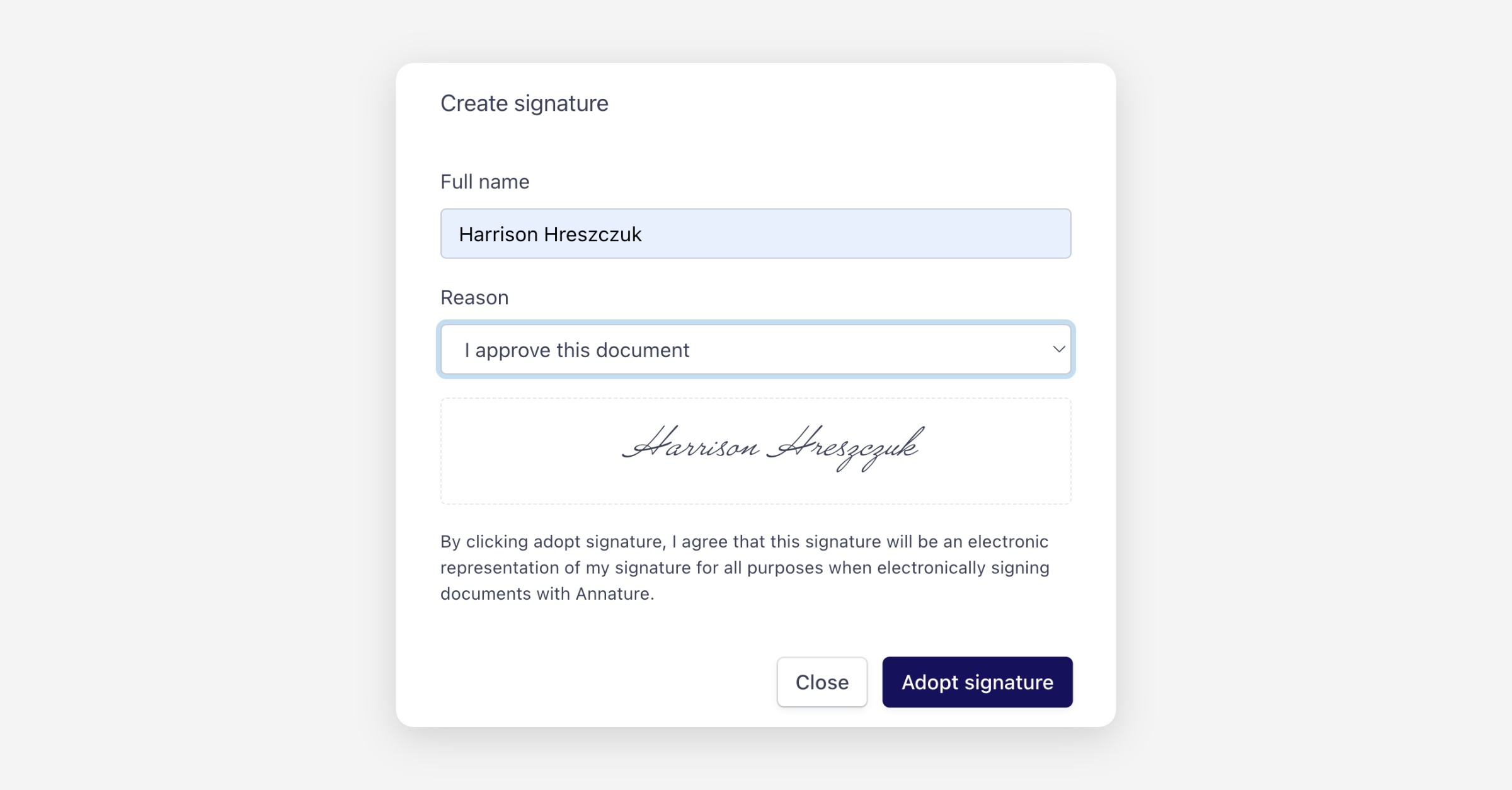
This additional step ensures signer intent is clearly recorded, aligning with CFR Part 11 requirements.
How the signature appears on the document
After signing, Annature stamps the document with:
The signer’s name
The selected reason for signing
The exact signing timestamp
The applied electronic signature
This information is embedded directly into the document, creating a clear, tamper-evident audit trail that supports regulatory and legal review.
When should I use this field?
Use the CFR Part 11 Signature Field when:
You need to meet CFR Part 11 or similar regulatory requirements
Capturing signer intent is mandatory
Your documents may be subject to audits or regulatory scrutiny
For everyday agreements or general approvals, Annature’s standard signature field is usually sufficient.
If you’d like help deciding which signature field is right for your workflow, or need guidance setting this up, our team’s here to help.
Was this helpful?