
Requiring a Biometrics Check
Add facial recognition to your verification requests by comparing a selfie against the client's identity document.
When creating an identity verification request, you can require your client to complete a biometrics check. This process compares a selfie taken by your client with the photo on their identity document (licence or passport), ensuring that the person completing the verification is the same person pictured on the document.
Enabling the Biometrics Check
To require a biometrics check, toggle on Require biometrics check under Additional options when creating the identity verification request.
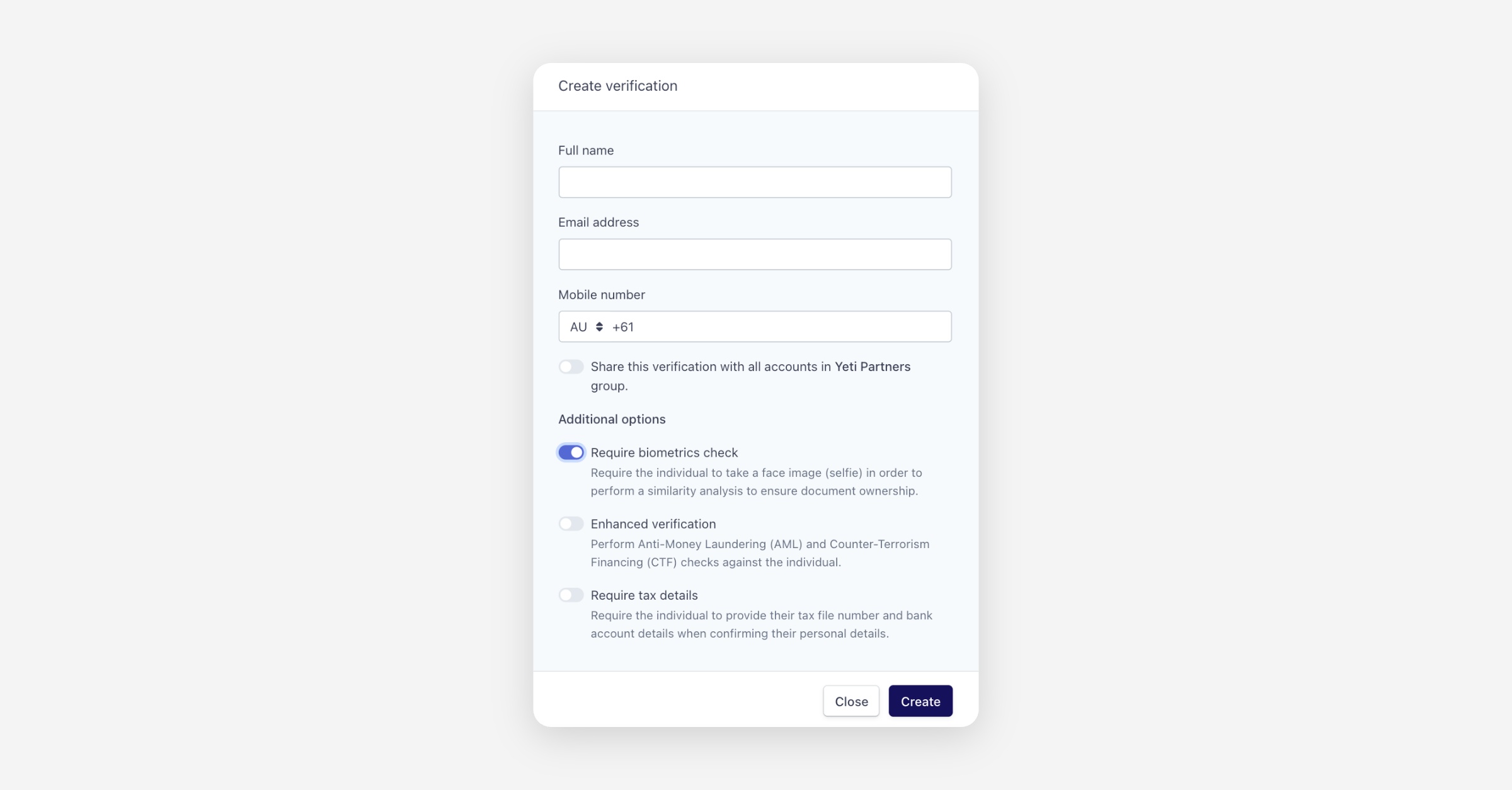
When enabled, your client will be prompted to take a face image (selfie) after photographing their identity document. Annature then performs a similarity analysis between the selfie and the document photo to verify document ownership.
How It Works
The biometrics check analyses facial features from both images to determine whether they match. This provides a reliable layer of identity confirmation, reducing the risk of identity fraud by ensuring that only the authorised document holder can complete the verification process.
Was this helpful?