
Docs / Envelope Basics
My inbox
View all envelopes sent to you by any business using Annature, and sign or review documents directly from your dashboard.
My Inbox contains all envelopes sent to you by any business using Annature where you have been added as a recipient. This is your personal view of documents that require your action or that have been shared with you.
My Inbox can be accessed from the left sidebar by clicking My inbox.
Inbox List
The inbox displays a table of all envelopes you've received, showing:
Name — The envelope name and the recipients included.
Status — The current status of the envelope (e.g. In progress, Completed).
Sender — The business or organisation that sent the envelope.
Sent — The date the envelope was sent to you.
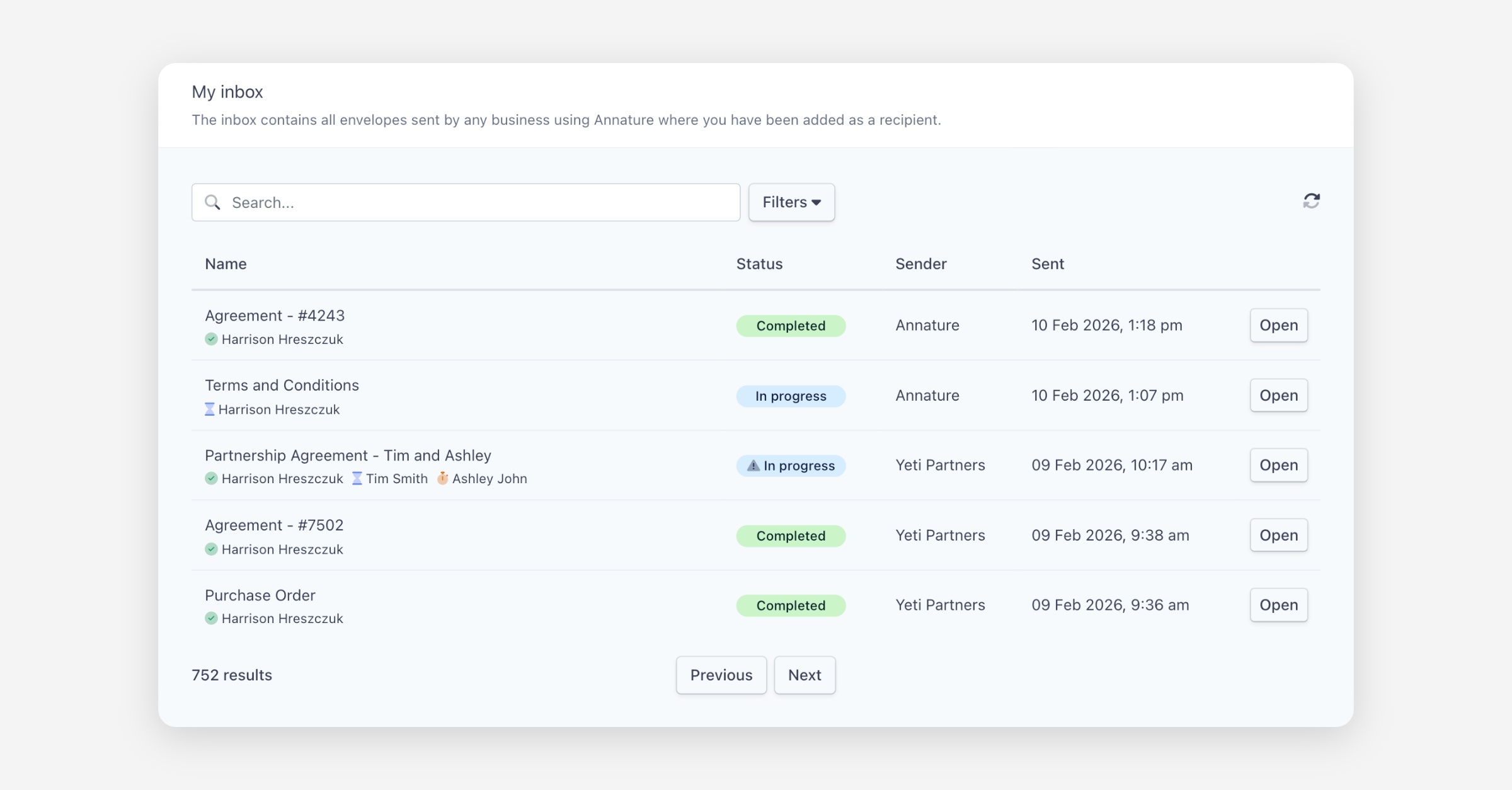
Each envelope has an Open button to view the documents or take action.
Searching and Filtering
You can search for envelopes using the search bar at the top of the page.
Click Filters to narrow down your results using the following options:
Status — Filter by envelope status:
In progress
Completed
Recipient type — Filter by your role on the envelope:
Signer
Viewer
Receives a copy
From date / To date — Filter by the date range when envelopes were sent.
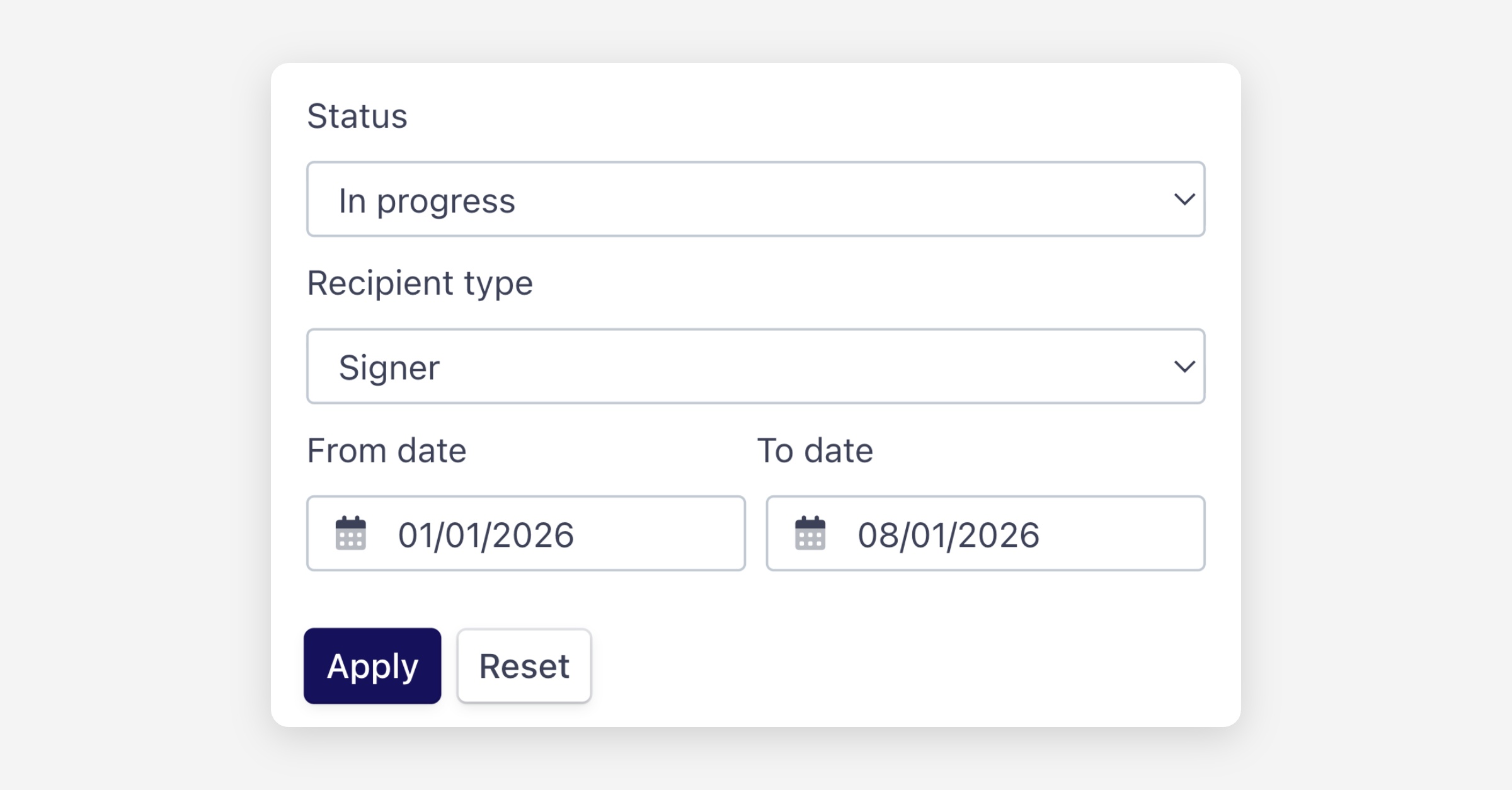
Click Apply to apply your filters, or Reset to clear them.
Opening an Envelope
Click Open next to any envelope to view the documents. Depending on your role and the envelope status, you may be able to:
Review and sign documents (if you are a signer and the envelope is in progress)
View completed documents
Download the signed documents
Was this helpful?