
Sending envelopes to Xplan clients
There are two ways to send envelopes to Xplan clients.
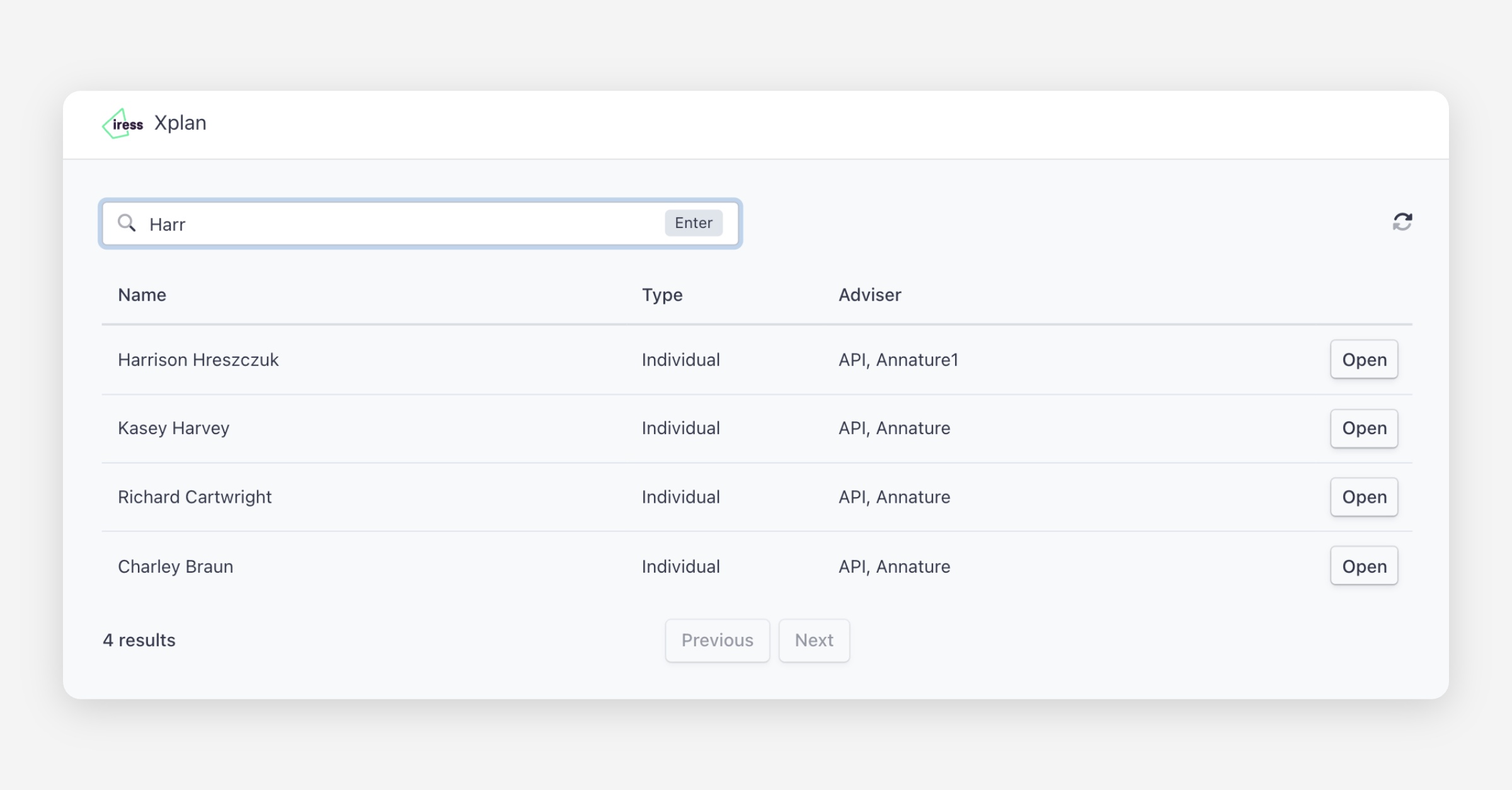
From the Xplan integration page:
Click Open beside a client.
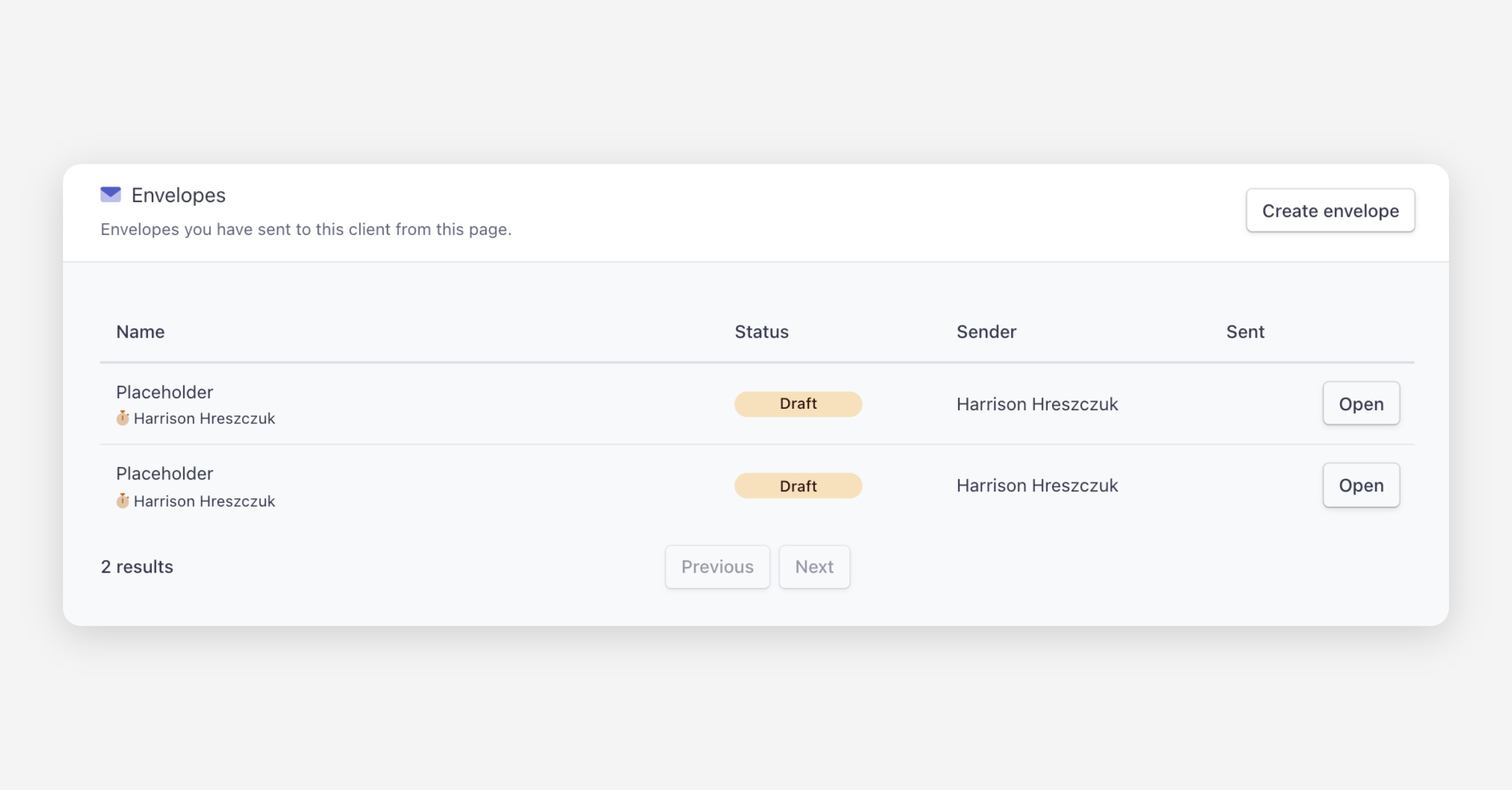
Under Envelopes, click Create envelope. The recipient details will be populated automatically.
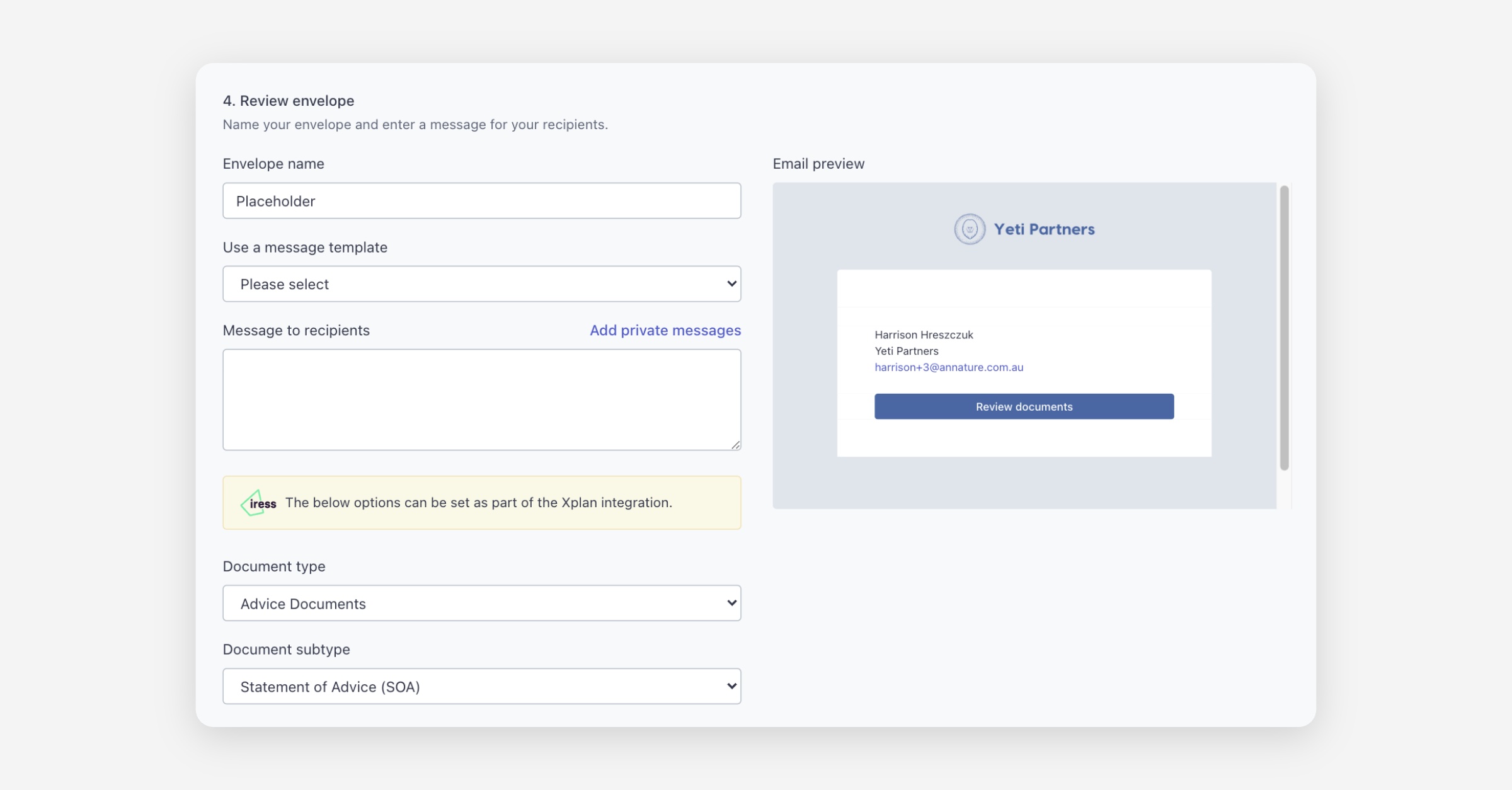
In the Review envelope section, select the Xplan document type and subtype.
Complete and send the envelope as usual.
From the Send envelope tab:
Click the Send envelope tab and upload your documents.
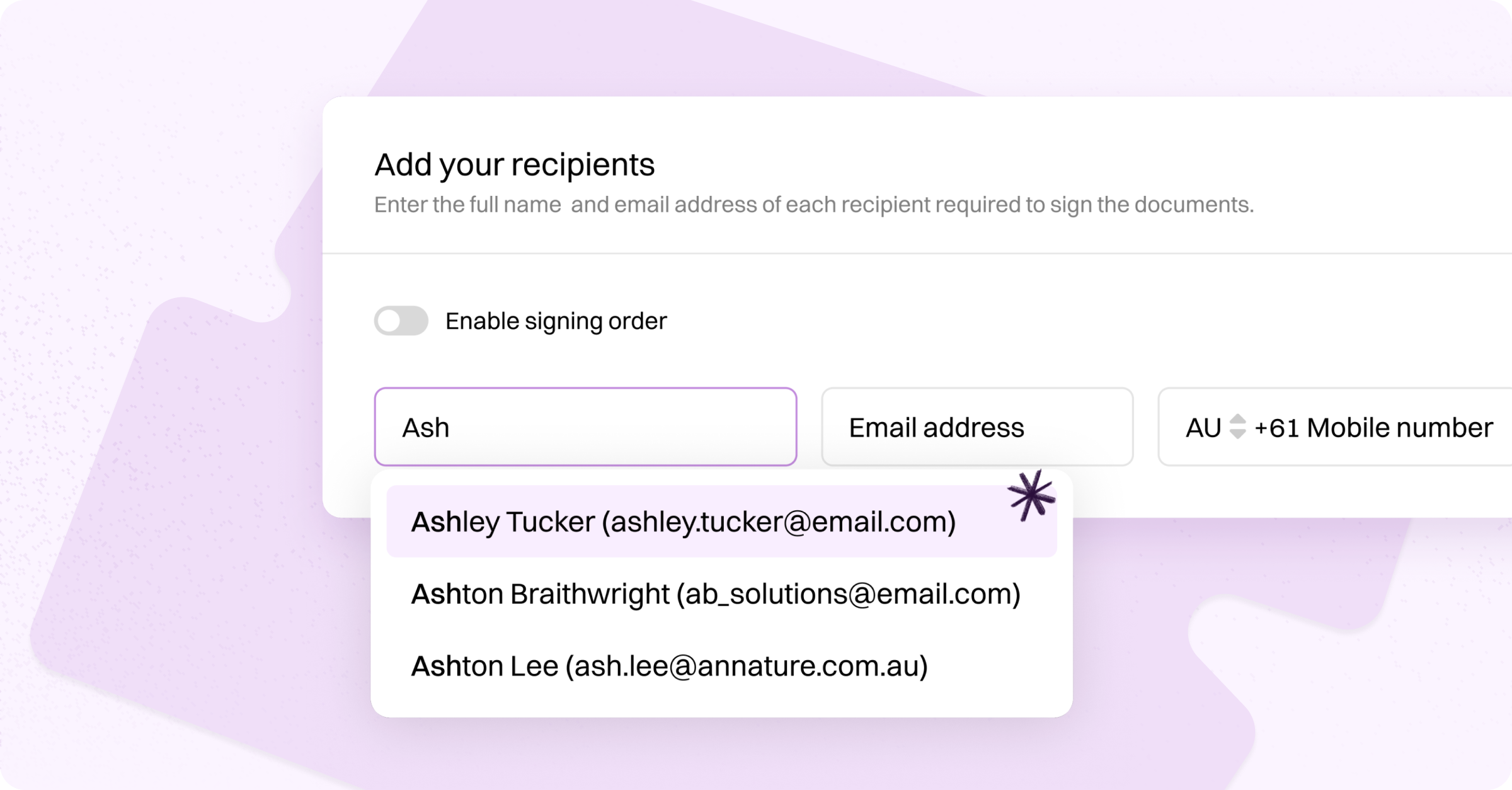
Type your Xplan contact's name and select them from the address book suggestions. The email address will sync automatically.
In the Review envelope section, select the Xplan document type and subtype.
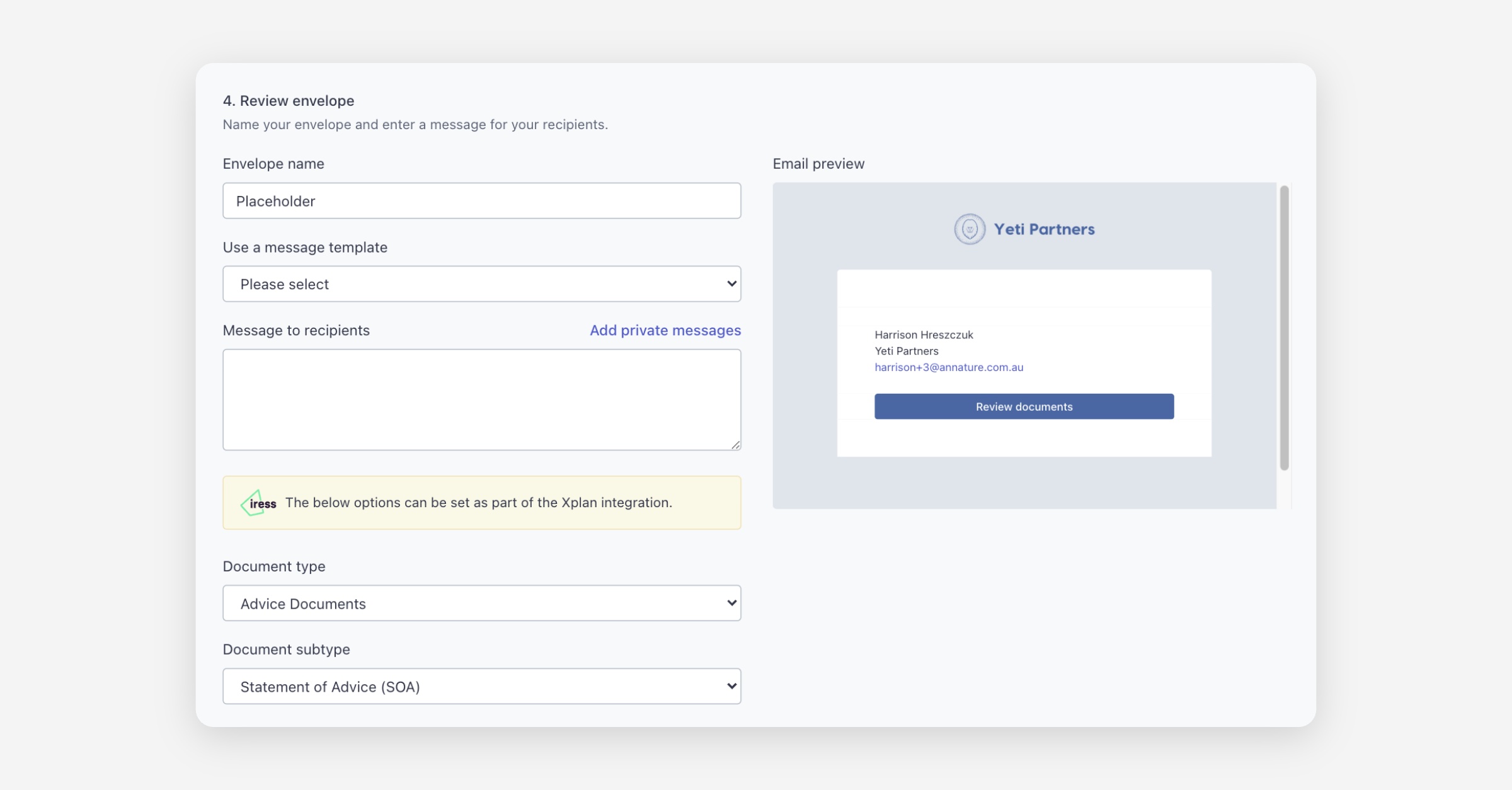
Complete and send the envelope as usual.
Once the client completes the envelope, a copy of the signed documents and certificate of completion is automatically pushed to Xplan and added to the client's file notes using the document type and subtype you selected.
Was this helpful?